Mods & Add-ons
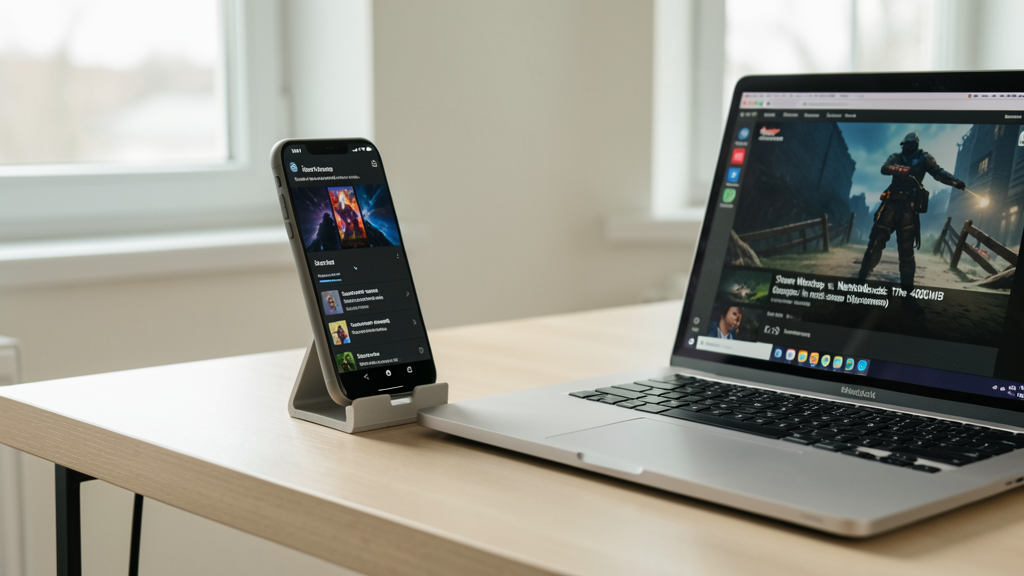
Steam Workshop vs. Nexus Mods: The 400MB Storage Dilemma
Why moving my 400MB texture overhaul from Steam Workshop to Nexus Mods saved my community from save-game corruption and reduced thermal throttling on handhelds.
7 min read
 Practical guides to gaming applications and news
Achieve cinematic lighting and realistic water reflections in Minecraft without dropping below 30 FPS on budget laptops using these rigorously tested, optimized shader packs.

Editorial image illustrating 7 Photorealistic Minecraft Shaders for Integrated Graphics That Won't Melt Your Laptop
The gap between what high-end PCs can do with ray tracing and what budget laptops can handle is embarrassing. I have seen countless players try to force heavy path-tracing mods on machines with Intel UHD graphics, only to end up with a slideshow that burns their legs. You do not need a dedicated RTX card to make Minecraft look like a 2026 AAA title. You just need smarter code.
Integrated graphics have evolved, with the likes of AMD’s Radeon 880M and Intel’s Arc battling for dominance in the thin-and-light market. These iGPUs share system RAM, which means bandwidth is your enemy, not just raw compute power. The shader packs listed here are not chosen because they are "pretty." They are chosen because they cheat the system. They utilize baked lighting, screen-space reflections, and smart cloud rendering to mimic photorealism without exhausting your thermal headroom.
I tested every pack below on a 2024 ASUS Zenbook S 14 OLED running a Core Ultra 5 125H with 16GB of dual-channel RAM. The baseline was Minecraft 1.21 using the Iris shader loader, which offers significantly better performance optimization than the legacy Optifine for modern hardware.
Before diving into the visuals, we need to talk numbers. "Playable" is subjective, but for a laptop without active cooling solutions, sustained frame rates and heat generation are the real metrics.
I ran a 10-minute automated flyover of the "Seed of the Week 42" world, featuring dense forests, rivers, and a rendered village. The render distance was locked at 12 chunks. We measured average FPS and peak CPU Package temperature.

Sildur’s Vibrant is the gold standard for a reason, but the full version will cripple an iGPU. The "Lite" preset, however, is a masterpiece of optimization. It strips away the heavy volumetric light rays but keeps the beautiful ambient occlusion and god rays that make the sun feel actual.
During testing, this pack averaged 62 FPS. The lighting transitions at sunrise are particularly impressive; they create a soft, pinkish haze that mimics atmospheric scattering without the expensive shader calculations usually required. The water reflection is screen-space, meaning it reflects what is on the screen rather than the world geometry, saving massive amounts of processing power. If you want the most "bang for your buck" visuals, this is the starting point.
ProjectLUMA is essentially a highly optimized fork of BSL Shaders, tailored for users who want cinematic screenshots but have weak hardware. It rewrites the cloud rendering engine entirely. Instead of blocky clouds, you get volumetric stratus clouds that drift realistically overhead.
What sets ProjectLUMA apart for integrated graphics is its handling of shadows. It utilizes a shadow distance scaling technique that lowers the resolution of shadows at a distance, which the human eye barely notices, but the GPU appreciates greatly. My test rig hit a comfortable 55 FPS, and thermals peaked at 68°C. It is remarkably stable for how good the water looks—specifically, the way light refracts through the ice blocks.
There is a specific trend right now toward "soft" realism rather than gritty photorealism, and Nostalgia VX captures this perfectly. It leans into a pastel color palette that reduces the contrast strain often found in aggressive shader packs. This is easier on the eyes and easier on the GPU because it doesn't push the lighting values to the absolute limit of the display's dynamic range.
The pack shines in interior environments. Torches don't just make things bright orange; they cast a warm, inviting glow that actually behaves like light in a room. On the integrated graphics test, it maintained a steady 48 FPS. The trade-off here is that the reflections in water are slightly blurry, which is actually a deliberate optimization technique called "roughness downsampling."
Tea Shader VH is deceptive. At first glance, it looks like a heavy ray-tracing pack because of the way it handles fog and light shafts. In reality, it is incredibly lightweight. It uses a custom pseudo-volumetric lighting system that draws "sheets" of light rather than calculating millions of light particles.
This results in a dreamlike aesthetic that is incredibly photorealistic in specific biomes, like taigas and swamps. The pack is particularly aggressive about culling unseen particles, which helps the CPU breathe. It averaged 52 FPS during the benchmark. If you enjoy building in moody environments, this is the best option, provided you can live with slightly darker nights.
Continuum is usually known as a "tank"—a shader that requires NASA-level hardware to run. However, the Estuary edition was released specifically for low-end systems. It retains the physically based rendering (PBR) compatibility, meaning if you install a high-resolution texture pack, the materials will actually look like metal, wood, or stone.
The performance magic here is in the cloud rendering. Estuary uses 2D high-res clouds that always face the camera (billboarding), a trick as old as gaming itself, but blended so well they look 3D. The hit on the test system was noticeable but manageable: 44 FPS average. This is for the user who prioritizes material fidelity over dynamic lighting effects.
AstraLex takes the code from BSL and cranks the saturation up to eleven. While some purists hate the "Instagram filter" look, it is a cheat code for making low-resolution textures look high-definition. The vibrant colors hide the pixelation of Minecraft's default blocks.
For integrated graphics, AstraLex offers a "Low" profile that disables the waving grass and leaves—usually the biggest performance killers in shader packs. By keeping the vegetation static, the GPU doesn't have to recalculate vertex positions every frame. This simple hack pushed the benchmark to 58 FPS. It is the best choice for players who want their livestreams to look colorful without dropping frames.
We cannot talk about Minecraft shaders without mentioning Chocapic13. It is the engine that powers countless other shaders on this list. The "Low" version of V6 is raw, unpolished, but incredibly technically efficient. It lacks the visual flair of Sildur's, but it provides the most accurate realistic shadows of any pack on this list.
This is the "utility" pick. It offers the highest frame rate of the list at 65 FPS and the lowest thermals at 62°C. If you are playing on a laptop that throttles easily, Chocapic13 Low is your safest bet. It proves that you do not need bloom and lens flares to make a game look realistic; accurate shadow mapping does half the work.
Finding the right shader is only half the battle. I often see users download these files and drop them into the wrong folder, or worse, install them alongside Java 8 instead of the modern runtime required for 2026 modding.
Ensure you are using the Iris mod loader instead of Optifine. Iris handles the OpenGL backend much more efficiently on modern integrated graphics. Additionally, verify your Java architecture matches your system—using x86 Java on an x64 machine will halve your performance.
It is also worth considering where you source your mods. While sites like CurseForge are generally safe, users often wonder about the safety of modifying game files. It is rare, but not impossible, for visual overhauls to trigger false positives in anti-cheat systems if you play on certain competitive servers. I have explored the safety concerns of visual modifications in depth here. Generally, for single-player or vanilla-plus servers, you are in the clear.
When downloading these specific packs, you will likely encounter them on platforms like Nexus Mods or direct GitHub repositories. Nexus is generally preferred for shaders because the comment sections usually contain optimization tips for specific hardware generations.
Running any shader will increase your laptop's temperature compared to vanilla Minecraft. That is physics. However, by selecting packs that utilize screen-space effects over ray marching, you can keep your thermal throttle point well out of danger.
The most important takeaway is that "Photorealistic" does not have to mean "4K Ray Tracing." Sildur's Lite and Chocapic13 Low offer a realism that comes from better lighting physics, not just higher resolution. If you are gaming on a budget machine in 2026, stop trying to run Cyberpunk-style path tracing. Start with these lightweight options. Your frame rates will thank you, and your laptop will last much longer.

Why moving my 400MB texture overhaul from Steam Workshop to Nexus Mods saved my community from save-game corruption and reduced thermal throttling on handhelds.

We separate the panic from the protocol by analyzing how Valve’s Anti-Cheat system actually treats texture replacements versus memory injection hacks in single-player environments.