Mods & Add-ons
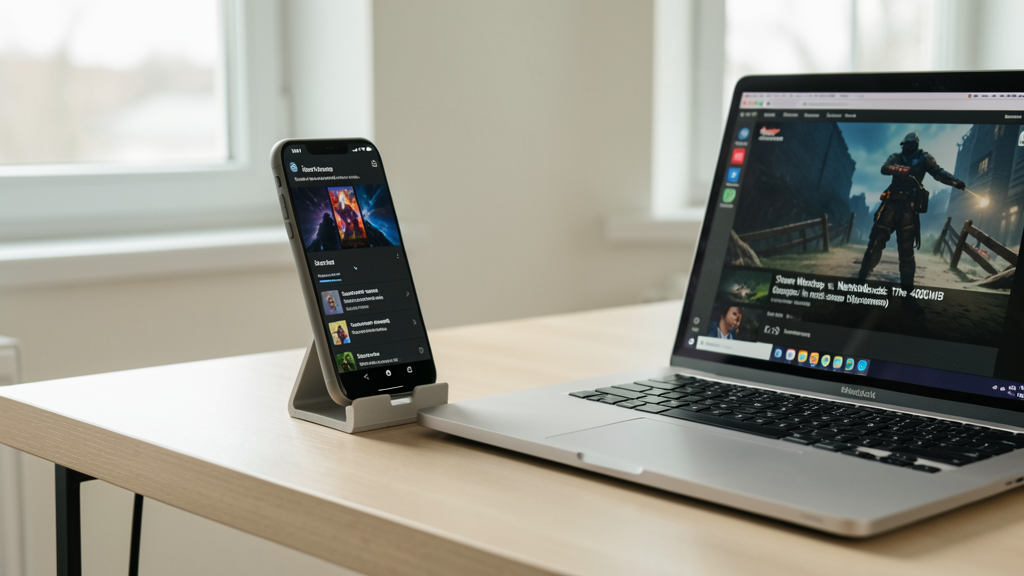
Steam Workshop vs. Nexus Mods: The 400MB Storage Dilemma
Why moving my 400MB texture overhaul from Steam Workshop to Nexus Mods saved my community from save-game corruption and reduced thermal throttling on handhelds.
7 min read
 Practical guides to gaming applications and news
Discover how modern upscaling technologies specifically target the aliasing issues of standard-def consoles to deliver a crisp 4K experience on PCSX2 without the original hardware blur.

Editorial image illustrating How FSR and XeSS Make PS2 Games Look Like 4K Remasters on PCSX2
The nostalgia trip often hits a wall the moment you boot a classic PS2 title on a modern 4K OLED screen. What you remember as a cinematic masterpiece suddenly looks like a jagged, shimmering mess. This is the inherent problem with emulating standard-definition consoles on high-resolution displays: the mismatch between the native 480p (or lower) render resolution and the millions of pixels demanding data in your monitor. The result is aliasing—those "jaggies" that crawl along character models and environmental geometry.
In 2026, we have moved past simple bicubic smoothing. The integration of AMD FidelityFX Super Resolution (FSR) and Intel XeSS into the PCSX2 ecosystem has fundamentally altered how we perceive these older titles. It is not just about making the image bigger; it is about reconstructing the geometry that the original hardware simply could not render.

There is a persistent sentiment among some preservationists that running games at their native 640x480 resolution is the only way to experience them "as the developers intended." The argument suggests that upscaling introduces artifacts or inaccuracies. This is a romantic notion, but it is technically flawed regarding modern display chains.
Developers in the early 2000s designed for CRT televisions. These displays used phosphor persistence and scanlines to naturally blend low-resolution images, hiding the stairstep edges that plague modern LCD and OLED panels. When you run PCSX2 at native resolution on a 4K monitor today, you are not recreating the CRT experience; you are magnifying the flaws of a low-resolution signal on a display that is brutally honest about pixel geometry.
Sticking to native resolution often results in a screen that is 90% black void, with a tiny, blurry rectangle floating in the center. Even with bilinear filtering, the image lacks definition. The "purity" argument ignores that the original viewing medium is missing. We are not enhancing the art; we are adapting it for a viewing environment that did not exist when the code was written.
Here is where the technical distinction matters. PCSX2 offers two main ways to improve visuals: increasing the internal resolution (rendering the 3D geometry at 4K or 8K) and applying display upscaling (FSR/XeSS).
Many users crank the internal resolution to 8x native. This makes 3D models incredibly sharp, but it does not fully solve the shimmering problem on transparent textures or alpha-tested edges (like hair or chain-link fences). It also puts a massive load on the GPU's VRAM. FSR and XeSS, when utilized in their display modes within the emulator, act as smart sharpening filters that reconstruct edges from a lower-resolution source.
By rendering at a manageable 3x or 4x native resolution and letting FSR handle the final pass to your display's 4K, you reduce the VRAM footprint while maintaining edge definition. The algorithm detects contrasts between pixels—where a model ends and the background begins—and reconstructs that edge with sub-pixel accuracy. It solves the "jagged line" problem not by brute-forcing more pixels, but by intelligently anti-aliasing the final image. If you are deep into the emulation scene, you know that a stable 60 FPS often beats raw pixel counts, and these upscalers provide the headroom to maintain that framerate.
Critics often confuse modern super sampling upscaling with the "FXAA" or "SMAA" filters of a decade ago, or worse, the heavy Gaussian blur that cheap upscaling DVD players used in the 2000s. The fear is that activating FSR in PCSX2 will turn the crisp, retro aesthetic into a vaseline-smeared mess.
This misconception comes from using the wrong presets. Both FSR and XeSS operate on quality levels. If you select the "Performance" mode—which renders the game at 720p and upscales to 4K—you will get a soft image. You are asking the algorithm to invent too much data. However, at "Quality" or "Ultra Quality" presets, the input resolution is much closer to the output, usually requiring only a 1.3x or 1.5x upscale.
In these higher modes, the sharpness is aggressive, almost to a fault. These technologies use contrast-adaptive sharpening (CAS). They actually increase local contrast at edges to make things look crisper than a native render. If you are seeing blur, you likely have the sharpening reduction slider set too high in the plugin settings, or you are expecting the upscaler to fix low-resolution textures (which it cannot do). It is an edge reconstruction tool, not a texture replacement tool.
A common barrier to entry for PC gaming is the assumption that "4K" and "AI upscaling" equate to requiring a $2,000 graphics card. It is a logical assumption given the requirements of native 4K gaming in Cyberpunk 2077 or Alan Wake 2.
However, the PS2's Emotion Engine is a relatively lightweight architecture compared to modern NVIDIA Ada Lovelace or AMD RDNA 3 GPUs. The computational cost of emulating a PS2 is often bottlenecked by the CPU's ability to interpret the vector units, not the GPU's ability to draw triangles.
Running Shadow of the Colossus or Kingdom Hearts 2 at 4K with FSR enabled requires less than 2GB of VRAM on most modern setups. Even integrated graphics found in mid-range laptops from 2024 can handle these loads reasonably well, provided the CPU is decent. You do not need a flagship card. You just need a GPU that supports basic DirectX 11 or 12 feature levels. The upscaling algorithms are lightweight enough that they might actually save you performance compared to brute-forcing 16x anisotropic filtering at 8x native resolution.
We must acknowledge a hard truth: while FSR and XeSS fix the jagged lines of 3D models, they do nothing to improve the quality of the original texture maps. If a character's face is mapped with a 256x256 pixel texture, it will still look muddy when the camera zooms in. Upscaling might make the edges of that face sharp, but the skin itself will retain that "paint-by-numbers" look of the early 2000s.
Sometimes, this creates a weird dissonance. You have razor-sharp geometry (thanks to the upscaler) wrapped around potato-quality assets. This is where the community comes in. Texture packs are essential for the true "remaster" look. Hosting and managing these custom assets is a hobby in itself. I have spent weekends organizing my library, deciding whether to keep a modded version of Final Fantasy XII or stick to the vanilla ISO.
For those of us managing massive libraries of ISOs and mod packs, organization is key. I often compare the struggle of keeping PCSX2 modded correctly to the broader challenge of managing PC game libraries. The debate over GOG Galaxy 2.0 vs. Steam Library is relevant here because, like non-Steam games, emulated titles need a unified front-end to be playable without headaches.
Furthermore, finding these texture packs requires knowing where to look. While steam makes it easy with the Workshop, the emulation scene relies on community hubs. Understanding the difference between where to find automatic installers versus manual archives is crucial, much like knowing when to use Steam Workshop vs Nexus Mods. Upscaling handles the geometry; mods handle the textures. You need both for the full effect.
There is a critique that overly sharp graphics betray the age of the game, making it look like a low-budget indie project rather than a classic. The argument goes that the "dreamlike" quality of PS2 graphics was partially due to the blur and the interlacing.
There is merit to this, but it is subjective. The "fake" look usually comes from incorrect aspect ratio settings or forcing 16:9 on games that hardcoded their HUDs for 4:3. When you combine stretching with aggressive upscaling, yes, it looks distorted.
However, when aspect ratios are corrected (often using the widescreen patches available in the PCSX2 database), FSR and XeSS provide a clarity that reveals the artistic intent of the environment artists. You can finally read the signs in the background of Grand Theft Auto: San Andreas or see the individual rivets on the mechs in Armored Core 2. This isn't making them look fake; it is revealing the detail that was always there but lost to the signal limitations of 2000s televisions.
Ultimately, the move to use FSR and XeSS in PCSX2 is about managing visual noise. By 2026, we have accepted that standard-def content requires intelligent processing to look palatable on 8K screens. The trade-off is not performance, but visual tolerance.
These upscaling technologies reduce the large, blocky aliasing (jaggies) but can introduce a slight amount of temporal shimmer or "ringing" around high-contrast edges if the sharpening is set too aggressively. It is a delicate balance. You are trading one type of visual artifact (the staircase pixel) for a much subtler one (slight edge over-correction).
For anyone who has spent hours tweaking configuration files, the result is worth it. It bridges the gap between the nostalgia of the software and the expectations of modern hardware. It allows the PS2 library to sit proudly alongside native PC titles, looking less like an emulation and more like a deliberate, high-definition art style. The jagged lines are gone, and finally, we can see the games for what they are.

Why moving my 400MB texture overhaul from Steam Workshop to Nexus Mods saved my community from save-game corruption and reduced thermal throttling on handhelds.

I spent a weekend testing both clients to merge my fragmented collection into one cohesive interface, and the results regarding play-time tracking accuracy were surprising.