Mods & Add-ons
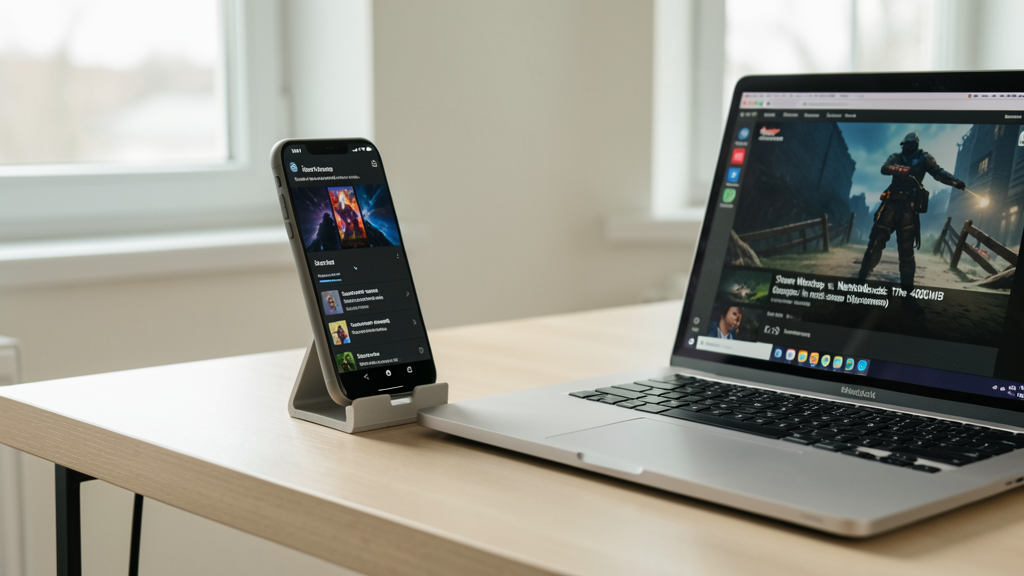
Steam Workshop vs. Nexus Mods: The 400MB Storage Dilemma
Why moving my 400MB texture overhaul from Steam Workshop to Nexus Mods saved my community from save-game corruption and reduced thermal throttling on handhelds.
7 min read
 Practical guides to gaming applications and news
Access Japanese or US game betas safely by implementing a security-focused sideloading workflow that protects your device from malware.

Editorial image illustrating Securing Your Gateway: How to Sideload Region-Locked Betas on Android Without Rooting
The frustration is palpable. You are scrolling through X (formerly Twitter) and see the announcement for the closed beta of Phantom Star: Tokyo, a highly anticipated ARPG that is currently exclusive to the Japanese Play Store. You have the device to run it—a flagship Snapdragon 8 Gen 4 handset—but you lack the region. The immediate instinct is to download an APK from a random forum link. This is where most users compromise their devices.
In 2026, the sophistication of mobile malware has outpaced simple antivirus scanners. Sideloading requires more than just enabling "Install Unknown Apps"; it demands a compartmentalized security workflow. We are not just bypassing a geo-lock; we are inviting a binary executable into our personal data ecosystem. To do this safely, without root access, requires a methodical approach that treats the beta software as a potential hostile agent until proven otherwise.
Here is the security-first protocol I use to test region-locked titles while keeping my primary data partition safe.
The first step happens before you download a single byte. Do not rely on generic "best mod apk" sites that crowd the top of search results. These platforms are often riddled with adware wrappers. Instead, we need to identify the source of the leak. Most betas leak because someone with access uploads the APK to a Discord server or a niche community.
A critical distinction exists between a community repository and a trusted file host. When you see a link, verify the uploader's history. Have they provided clean files in the past? Does the community vouch for them?
This mirrors the issues seen in PC modding communities. Just as users debate the safety of files on different platforms, comparing Steam Workshop vs. Nexus Mods: Where Should You Host Your Custom Content? highlights the importance of curated environments. On mobile, we lack a "Nexus Mods" equivalent for raw APKs, so the onus of verification falls entirely on you. If the link is a shortened URL (bit.ly, tinyurl) redirecting to a file host, treat it as high risk. Ideally, you want a direct download link from a cloud storage provider where you can see the file metadata before initiating the transfer.
Once you have identified a potential source, the worst thing you can do is install the game directly into your user profile. Without root, we cannot employ complex firewall rules at the kernel level, but we can use the "Work Profile" feature introduced in Android Nougat. By using an app like Shelter or Island, you can create a sandboxed environment that runs parallel to your main system.
The logic here is simple: if the beta contains a Trojan, it infects the Work Profile, not your primary banking or social media apps. The Work Profile has limited access to your main data, effectively creating a containment zone.

To set this up, install Shelter and freeze the Play Store services in the Work Profile. This prevents the game from accessing your personal Google account data while still allowing it to function. I also recommend using the "Freeze" feature on Shelter to completely disable the Work Profile when you aren't testing the game. If the beta app runs a background mining process—which is becoming common in pirated releases—it will be killed the moment you toggle the Work Profile off.
Region-locked betas typically enforce two walls: the Play Store country check and the in-game location verification. The first is bypassed by sideloading the APK. The second is trickier. A VPN alone masks your IP address, but it does not fool the device's GPS, which many high-fidelity games query to ensure you are physically in the launch region.
You need a GPS spoofing module that works without root. Apps like "Fake GPS Location" by Lexa require you to enable "Mock Location" in Developer Options. However, Android 15 and 16 have made this more transparent; some games detect when Mock Locations are enabled and refuse to launch.
The workaround is a precision masking tool. In 2026, the most reliable method for non-rooted users involves an app that overlays a joystick control over the game map, allowing you to manually "walk" to the verified coordinates. This feels more natural to the game's anti-cheat algorithms than an instantaneous teleport from New York to Tokyo. Set the VPN to the target country, open the spoofer, set your location to a specific district in Tokyo (like Shibuya), and then launch the game. Do not change locations while the game is running, as sudden velocity changes are immediate red flags for server-side anti-cheat.
This is the step most users skip, yet it is the only way to guarantee the file has not been tampered with. If the developer released the beta via a limited public link, they might have posted the SHA-256 checksum hash alongside it.
You do not need to be a hacker to do this. Download a file manager that supports hash calculation (like Solid Explorer). After downloading the APK, calculate its SHA-256 hash. Compare this string of characters to the one posted by the original developer.
If the hashes do not match, the file has been modified. It could be a simple re-signing to remove license checks, or it could be a payload injection. Do not install it. I have seen instances where a "modded" beta for Genshin Impact variants included a background service that registered the device for a botnet. Verification takes thirty seconds; cleaning a compromised identity takes years.
Every mobile review on Gaminapps includes thermal data because software behavior is reflected in hardware performance. This principle applies to security auditing as well. Malware is rarely optimized; it is inefficient and resource-heavy.
After installing the beta, play it for 15 minutes while monitoring your battery usage and temperature. A legitimate beta might be unoptimized and run hot, but there is a difference between "rendering too many polygons" hot and "mining cryptocurrency" hot.
I use a Samsung Galaxy S25 Ultra for testing. A native, high-end game running at max settings usually stabilizes around 42°C to 44°C under load. If I see a simple 2D menu screen pushing the device to 48°C or causing the battery percentage to drop by 2% every 60 seconds while idle, the software is doing something it shouldn't.
Specifically, watch the battery drain graph in settings. A game that is optimizing assets will drain battery, but the drain should correlate with screen-on time. If you see a steep drop while the screen is off, immediately revoke the app's background data permissions and uninstall it.
Hardware limitations also play a role here. If you are on a device that struggles with thermal throttling, distinguishing between poor optimization and malware is harder. This is one of the reasons I eventually moved specific hardware configurations to different form factors, much like the logic I discussed when Why I Stopped Emulating DS Games on Touchscreen Phones and Switched to Foldables; having a dedicated test environment saves you from headaches. Keep a dedicated older device for risky beta tests if possible. If a game bricks a cheap burner phone, you have lost nothing. If it bricks your daily driver, you have a problem.
Sideloading region-locked betas allows you to experience content months before the general public, but it requires a mindset shift from consumer to administrator. By utilizing Work Profiles for isolation, manual GPS masking for privacy, cryptographic hashes for integrity, and thermal data for behavioral analysis, you can mitigate the vast majority of risks.
There is no such thing as a perfectly safe sideloaded executable. Even with these protocols, you are trusting the code you are running. However, by treating the process with the rigor of a security audit rather than a casual download, you tip the odds significantly in your favor. The convenience of the official Play Store protects you from these complexities, but for those of us who need to play now, these barriers are the cost of admission.

Why moving my 400MB texture overhaul from Steam Workshop to Nexus Mods saved my community from save-game corruption and reduced thermal throttling on handhelds.

Moving DS emulation to a foldable device transforms a frustrating compromise into a near-authentic experience by solving the physical real-estate crisis inherent to slab phones.