
Emulation
Is Downloading Switch ROMs Legal If You Own the Physical Cartridge?
Owning the cartridge grants you a license, but copyright law and encryption restrictions make downloading a digital copy a legal minefield.
7 min read
 Practical guides to gaming applications and news
Frustrated by the Steam Deck's analog drift in platformers? We break down five controllers with superior tactile D-pads specifically tested for fighting games and precision emulation.
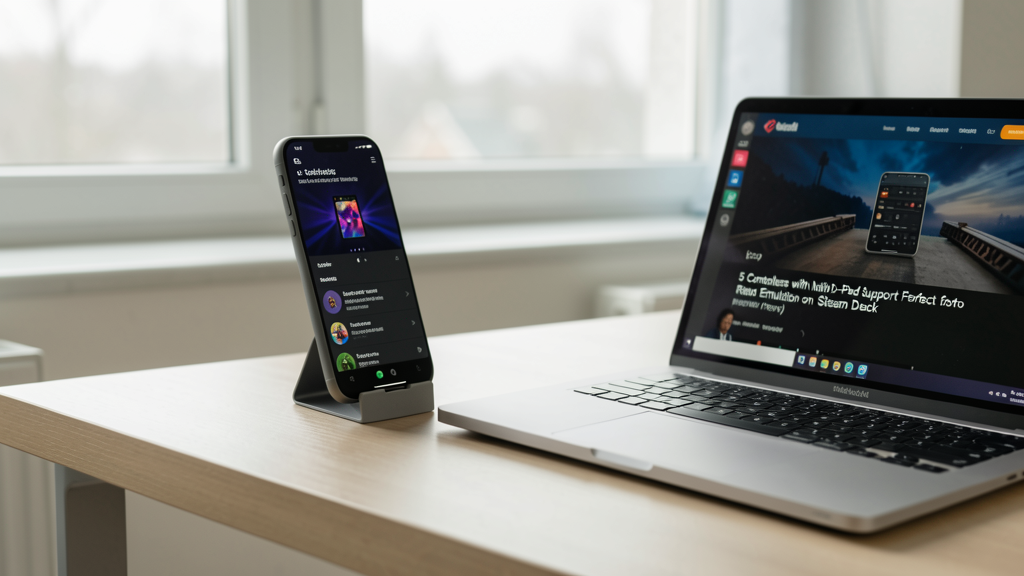
Editorial image illustrating 5 Controllers with Native D-Pad Support Perfect for Retro Emulation on Steam Deck
The Steam Deck is a marvel of portable engineering, but anyone who has tried to execute a Shoryuken in Street Fighter III: 3rd Strike or attempted a pixel-perfect jump in Celeste using the built-in controls knows the frustration. The left analog stick, while serviceable for 3D shooters, lacks the snap and tactile certainty required for 2D genres. The touch-based alternatives are gimmicks that fail when the action heats up.
We aren't just looking for a gamepad with a cross shape on it. We need controllers that offer native D-pad support—meaning the Deck recognizes the directional input as a discrete axis rather than emulating it through analog stick filters—and the tactile feedback necessary to prevent accidental diagonals. For those building a ROM library, it is worth clarifying the legal gray areas of ownership versus downloading files, a topic we covered in depth regarding Switch ROMs legality.
Once you have your library sorted, the hardware becomes the bottleneck. Here are the five controllers that solve the input lag and precision issues, specifically curated for fighting games and platformers in 2026.
Before diving into the hardware, we must establish the technical failure point of the Deck’s native inputs. The issue isn't build quality; it's input method. Analog sticks rely on a deadzone—a threshold that must be crossed before the system registers a movement. In a platformer like Super Mario World, you often need to tap "right" for exactly one frame of movement to edge off a cliff. With an analog stick, you are fighting the plastic resistance and the deadzone, often resulting in a jump that is too short or a run that is too long.
Furthermore, the Deck’s default D-pad is a single piece of plastic rocking on a central pivot. This design inevitably forces you to press two switches at once when you intend to press only one (the dreaded "up-right" when you just want "up"). For retro emulation, specifically when upscaling older titles to look sharper using FSR on PCSX2, input lag becomes glaringly obvious at higher frame rates. You need a digital switch.
If your emulation playlist is heavy on Capcom or SNK fighters, the Hori Fighting Commander OCTA is non-negotiable. It ditches analog sticks entirely to maximize the space for the D-pad and face buttons, shifting the focus from 3D movement to 2D precision.
The standout feature is the tactile D-pad. Unlike a standard cross-pad that sits flush, the Hori’s disc pivot floats slightly, allowing for rapid "rolling" motions with minimal thumb travel. This reduces fatigue during long sessions of Guilty Gear -Strive- or The King of Fighters XV. It connects via USB-C, offering a wired low-latency connection that the Steam Deck accepts instantly. The profile mapping in Steam Desktop mode is plug-and-play, requiring zero deadzone tweaking.
The caveat is the lack of analog sticks. If you switch from Street Fighter to Grand Theft Auto: Vice City Stories, this controller becomes a paperweight. However, for the pure retro enthusiast, sacrificing analog functionality for the best possible D-pad response is a trade worth making.
8BitDo has dominated the third-party controller market for years, and the 2026 iteration of the Ultimate controller refines the formula specifically for Steam Deck users. The biggest grievance with Bluetooth controllers on Linux-based handhelds has traditionally been latency, but the Ultimate 3-mode utilizes a proprietary 2.4GHz dongle (included in the package) that rivals wired speeds.
The D-pad here uses a "switch" design rather than a rocker. When you press "down," you feel and hear a distinct click. This auditory and tactile confirmation prevents the "drift" anxiety common in high-speed platformers like Shovel Knight. The 2026 model also introduced hall effect joysticks, which, while not relevant for D-pad play, future-proof the controller for modern titles.
Integration with the Deck is seamless. The grip includes two extra programmable buttons on the back, which I recommend mapping to "fast-forward" and "save state" in RetroArch or DuckStation. It transforms the emulation experience, letting you manage the software without taking your thumbs off the controls.
This brings us to the heavy hitter: the DualSense Edge. While designed for the PS5, Sony’s flagship controller has arguably the best stock D-pad on the modern market. Unlike the Xbox Elite series, which historically suffered from a "mushy" disc pivot, the DualSense separates the cardinal directions significantly, reducing accidental inputs.
The "Native" aspect here is handled perfectly by the Steam Deck’s controller API. Connecting via Bluetooth is stable, though for competitive play, I recommend a USB-C cable to bypass Bluetooth polling rates entirely. The unique advantage of the Edge is the modular D-pad caps. Sony includes a lower-profile dome cap in the box that decreases throw distance. Swapping this in makes the D-pad feel tighter, bringing it closer to the snap of a retro Sega Saturn pad.
The price is exorbitant for just an emulation device, but if you also use your Deck for modern AAA titles, it is the only "do-it-all" controller that doesn't compromise on retro precision. It is particularly effective when playing Wii titles via the Dolphin emulator. If you are taking the time to inject HD texture packs into Dolphin, you shouldn't ruin the visual fidelity with poor input handling.
Sometimes, new technology can't replicate the feel of 1994. For purists, the Retro-bit Saturn 2.4GHz controller is the gold standard. While it lacks modern hall effect sensors or pressure-sensitive triggers, the D-pad geometry is identical to the original Sega Saturn pad—the pad often cited by fighting game enthusiasts as the best ever made.
The pivot mechanism on this controller is unique. It is a "floating" cross design that sits inside a circular housing. This ensures that even when you press "up" or "down" with force, the pad doesn't bottom out hard against the casing, protecting your thumb from fatigue. It requires a USB dongle to connect to the Steam Deck, which occupies one of the ports.
The trade-off is the lack of modern conveniences. There are no analog sticks, no home buttons for Steam integration, and the build quality feels plasticky compared to the 8BitDo or Hori. However, for playing Gunstar Heroes or Thunder Force IV, nothing matches the responsiveness. If you find yourself frustrated by touch controls on modern phones, much like I discussed when I stopped emulating DS games on touchscreen phones, returning to a hard plastic click is a revelation.
The Steam Deck is a portable device; carrying a full-sized gamepad in a small case defeats the purpose. The Gulikit KK3 Max addresses this with a form factor roughly 15% smaller than a standard Xbox controller, making it pocketable without shrinking the buttons to an unusable size.
The KK3 Max features a patented "Maglev" hall effect stick, but the real story for retro gamers is the D-pad. Gulikit uses a mechanical switch design that provides a satisfying "clack" similar to a mechanical keyboard. This feedback loop is crucial for rhythm games like PaRappa the Rapper or platformers requiring rhythmic jumping.
Battery life is exceptional, often outlasting the Deck itself. It supports wireless connection directly to the Deck without the need for a dongle, utilizing Bluetooth 5.3 which has solved much of the latency drift found in older protocols. It is the best choice for commuters who want to leave the bulky chargers at home but still demand precision during their subway ride.
Selecting the right controller is only half the battle. To ensure these devices perform optimally on SteamOS (based on Arch Linux), you must manage the polling rate. Even high-end controllers can suffer from input lag if the Deck’s Bluetooth stack is overloaded.
For any wireless controller, go to Desktop Mode, open Steam, and navigate to the Controller Settings. Disable the "Generic Gamepad Configuration Support" if you are using a native xInput device, and instead rely on the Steam Input per-game profiles. This reduces the software layers between your button press and the emulator.
For wired connections, avoid cheap USB-C hubs. Passive hubs often share bandwidth, leading to input stutter. A powered hub ensures the controller receives full voltage and bandwidth priority. When playing demanding emulators like RPCS3 (PS3), dropping frames often gets misdiagnosed as controller lag. A stable power delivery chain keeps both the framerate and the input response locked at 16.6ms (60Hz).
Upgrading your input device fundamentally changes how retro games play on the Steam Deck. It shifts the experience from a struggle against the hardware to an appreciation of the game design. The Hori Fighting Commander remains the undisputed king of fighters, the 8BitDo Ultimate offers the best balance of price and performance, and the Retro-bit Saturn pad provides historical authenticity that modern plastic simply cannot replicate.
Do not simply buy the most expensive controller available. Analyze your library. If you are grinding through Castlevania: Symphony of the Night, you need the click of the Saturn pad. If you are grinding ranks in Tekken 8, the Hori is your only viable option. The right tool turns frustration into flow, finally doing justice to the classics we emulate.

Owning the cartridge grants you a license, but copyright law and encryption restrictions make downloading a digital copy a legal minefield.
Discover how modern upscaling technologies specifically target the aliasing issues of standard-def consoles to deliver a crisp 4K experience on PCSX2 without the original hardware blur.